
Tips and tools for figuring out where to go and how to get there.
By Chris Guld, F349932
In the 15 years my husband, Jim, and I have traveled the United States by RV, we learned this (among many other cool and interesting things): Every RVer travels differently.
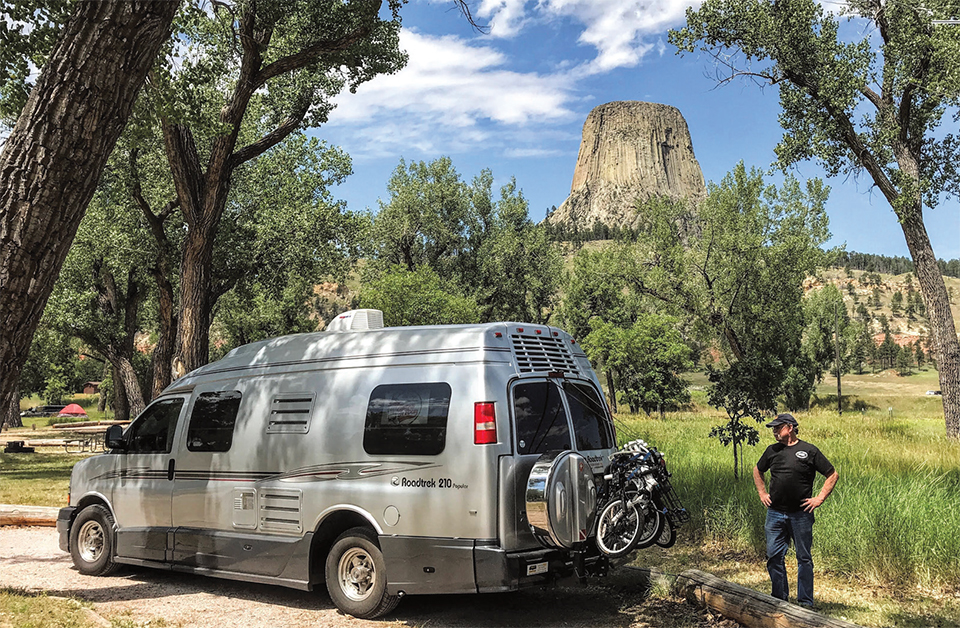
Jim and Chris Guld of Geeksontour.com now travel in this Roadtrek Type B motorhome.
Some RVers like to wander, with no plan at all. Others have every night arranged, with confirmed reservations six months in advance. Our mode of operation is somewhere in the middle. Because our work takes us to RV rallies all across the country, we have to plan. However, we have stretches between rallies when we are free to wander.
Whether you meander or plan every detail, today’s technology can help. Following are five steps for planning a trip, along with my favorite tools to help get there:
1. Research: Look for things you want to see, places you want to go (Roadtrippers.com).
2. Plan: Coordinate maps, routes, and calendars (RVParky.com).
3. Navigate: Figure out which way to turn and what road to take (Google Maps).
4. Sleep: Find a place to park your RV for the night (Allstays.com; HarvestHosts.com).
5. Remember: Keep a map of where you’ve been (Google My Maps).
Research
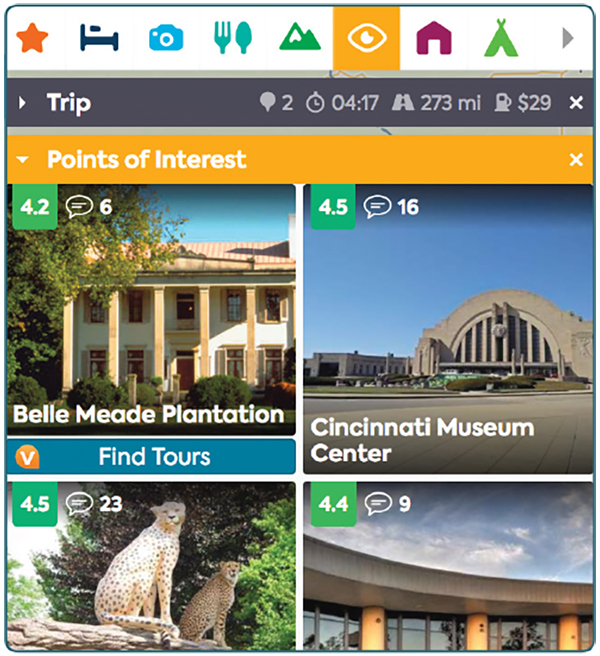
Roadtrippers.com enables travelers to create and save trip itineraries, including places of interest.
Where do you want to go? Roadtrippers.com holds the mother lode of interesting places to visit. It is a website as well as a mobile app. Initial research is easier on the big screen of a computer. Just go to Roadtrippers.com and enter cities for Starting From and for Destination. (On the mobile app, you click the car icon with the plus (+) sign). When you click on Plan Trip, a map with your route appears. You also will see some scattered icons of suggested places to visit. To view more places along your route, and specify the types of icons you want to see, use the category bar.
Each category has several subcategories. Select only the ones that interest you, so your map doesn’t become crowded with icons. Each icon represents a place. Click on an icon to get to a Place Page with lots of information about that destination. Close that page by clicking the X above and to the right. Click on another icon to see that Place Page. Be prepared to spend some time doing this. If you click on a place that interests you, click Add to Trip, or click the heart icon to make it a favorite. Then, whenever you’re planning another trip, you can request to see your favorites.
To start creating and saving trips, set up a free account with Roadtrippers.com. Then, click the car icon with the plus (+) sign to create a new trip. Use the three-line menu and My Trips to see any trip you’ve created. Once you’re working on a trip, find places of interest and click the button “Add to Trip.” Especially useful is the ability to add an unrouted place to your trip. This means the place is on the list of possible stops, but you haven’t actually added it to your route. It’s a good way to remember the places you’ve researched.
Plan
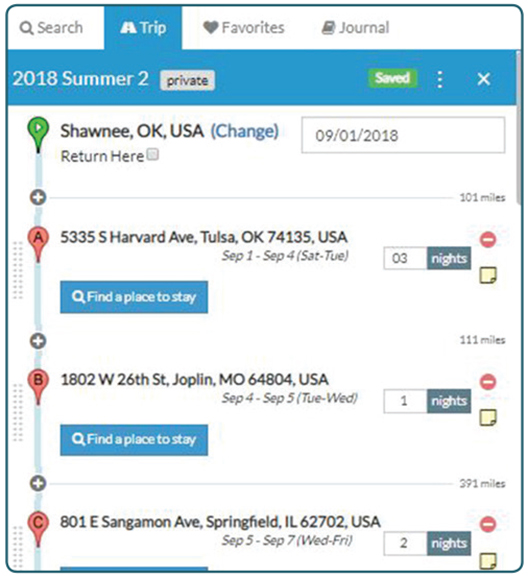
RVParky.com, an RV park directory and trip planning program, generates trip plans that denote mileage and arrival dates, and allows users to indicate the number of nights per stay.
What routes are you taking? When do you need to be there? How much time do you have? Dates and daily mileage are important to us. We like to travel 200 to 300 miles a day, and we need to know what date we will arrive at our planned
destination. I don’t think these are unusual requests, but it is rare for trip planning programs to include both of these elements. Even my favorite trip planning program, Streets and Trips (which is now obsolete), did not include dates. I have found only three programs that do: RVTripWizard.com, Furkot.com, and RVParky.com. Of these, I like RVParky the best. It’s simple, straightforward, and fast. A screenshot of what a trip plan looks like with RVParky accompanies this article. Notice the mileage for each segment, the date of arrival, and the box to enter the number of nights you plan to stay.
Navigate
Navigating with GPS is completely separate from trip planning. Trip planning is “Where are we going to go?” Navigating is “Which way do I turn?” We plan our trips for an entire year. We navigate on a day-by-day basis.
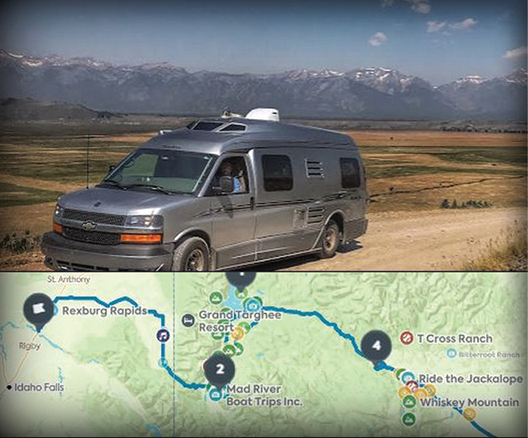
Google My Maps is a great way to remember one’s travels; photos and routes taken can be imported into the program.
Nothing beats Google Maps on a mobile device for telling you which way to turn. We also like Waze (owned by Google), but when Waze tells us “In ¼ mile, turn left,” Google Maps says, “In ¼ mile, use the left two lanes to turn left on Sumpter Avenue.” That makes a world of difference when you’re driving and want to be sure you’re turning at the right spot! The only drawback with Google Maps is that it is not RV-aware. It doesn’t know that you may be 13 feet high and would have a problem with a 12-foot overpass. If that describes you, you need an RV-aware system such as Rand McNally, or CoPilot.
If you are a solo RVer, you need to find one GPS you trust, enter your destination, and follow its directions. If you have a copilot, we recommend two GPS units:
1. A dashboard unit that the driver can always see and hear.
2. Google Maps on the passenger’s cell phone whenever a second opinion, or on-the-fly research, is needed. No system is faster, or more accurate, than Google Maps.
Sleep
You need a place to sleep. If you travel by RV, that means a place to park. Nothing compares to Allstays Camp & RV (www.allstays.com) for showing you all the choices for RV parking wherever you are. We recommend the Allstays Pro version or the iOS app. You will find all of the available campgrounds, including commercial RV parks, Corps of Engineers
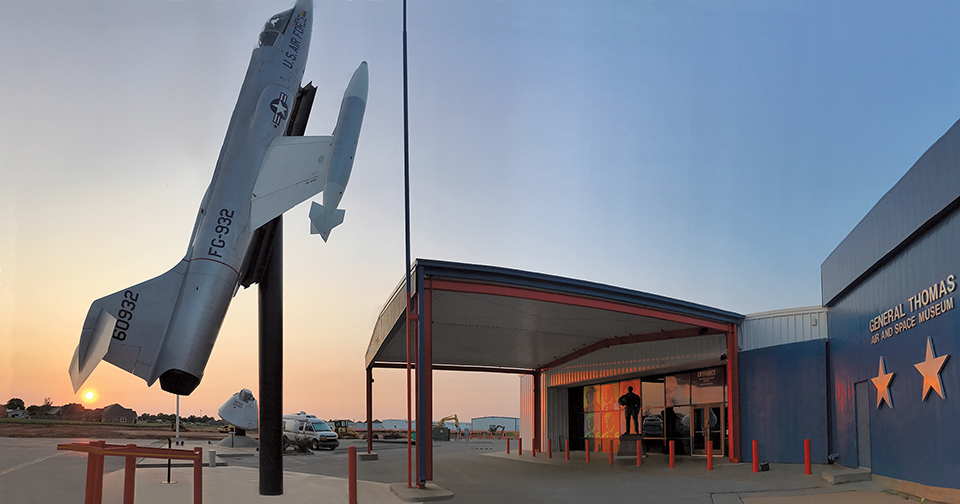
Planning apps help make Jim and Chris Guld’s journeys smooth and often lead them to intriguing destinations, such as the Thomas P. Stafford Air & Space Museum in Weatherford, Oklahoma. They camped there overnight, using their HarvestHosts.com membership.
parks, national/state/county parks, and membership campgrounds such as Thousand Trails. It also provides information about other overnight parking options, including Elks lodges, Walmart stores, Cracker Barrel restaurants, and truck stops. If Allstays can’t find you a place to park, you’re in trouble!
HarvestHosts.com is a special membership website that lists hundreds of wineries, farms, and museums that allow overnight RV parking. Whenever we’re in the mood for something unique, we check the HarvestHosts map.
Remember
I can’t remember what I had for breakfast this morning, let alone where I traveled last year. I take a lot of photos so I can look at them to remember, but it’s a lot quicker to view a map and follow our year’s route.
I love my maps. If I’m wondering, “When was the last time we were in Goshen?” it’s so easy to go to my maps of each year’s travels, where I can find my answer in seconds.
How do I make these maps? Why, Google My Maps; what else? If you’re a Geeks on Tour member, you can learn all about how to make your own maps via our Google My Maps Learning Guide. See GeeksOnTour.com/rv-planning for links.
At the beginning of each year, I start a Google My Map for the year and create markers for the places we’re planning to go. As the year progresses, I delete places we don’t make it to, add new places, and add photos to the markers for places we visit. At the end of the year, I have a complete record of our travels.
For links to sources and tutorials on how to master some of the ideas mentioned here, go to GeeksOnTour.com/rv-planning.
Chris Guld is president and teacher-in-chief at GeeksOnTour.com. She and her husband, Jim, produce a free weekly YouTube show called “What Does This Button Do?” They have been full-time RVers and popular seminar presenters at FMCA conventions since 2005. If you’ll be in Perry, Georgia, for FMCA’s March 2019 convention, be sure to attend their seminar “Honey, Tell Me Where To Go: Five Steps To Planning RV Trips.”